
Using “Starter Packs” to find more Media Revolutionaries on Mo-Me

Once you’ve set up your account on Mo-Me – the revolutionary social network with no ads and no billionaire owners – Fedidevs Starter Packs make it easy to find interesting accounts to follow. A few examples:
- Media Revolutionaries, with accounts from Media Revolution and supporters
Starter packs let you choose individual accounts to follow, or follow them all with a single click. It’s usually better to follow accounts individually to keep from overwhelming your Home feed – and this is especially important as a new account, to avoid looking like a spammer who’s following hundreds of accounts without anybody following you back.The Media Revolutionaries starter pack is a rare exception where following all accounts is a good option, because it’s a fairly short list and many accounts who have agreed to be on it are likely to follow you back.
When you click on Follow for an individual account (or Follow all accounts to follow everybody), you’ll get a popup asking you to sign in to the fedidevs site.
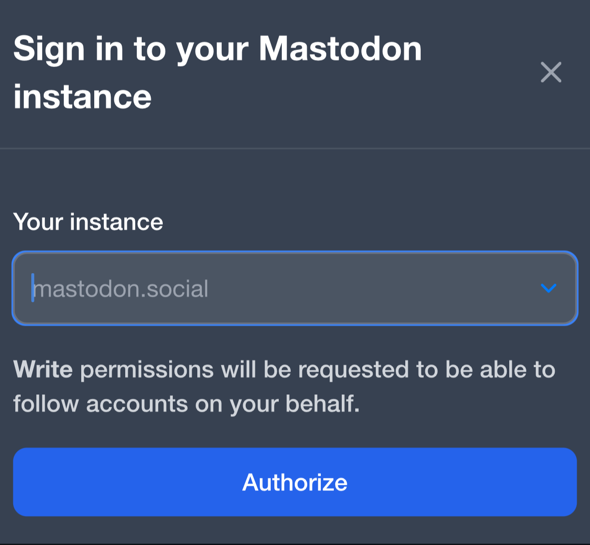
On the popup, use mo-me.social for the instance name, and click on Authorize. That will take you to a page asking you to log into mo-me.social, where you can use the email address and password you signed up with.
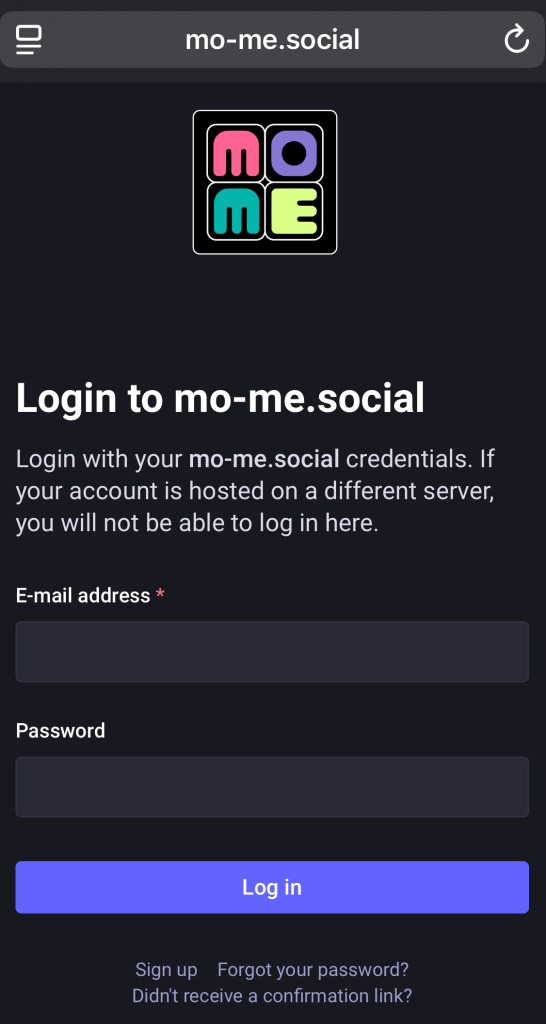
Once you click on Log in, it will take you to a page telling you want permissions fedidevs is asking for – including the ability to follow accounts on your behalf.
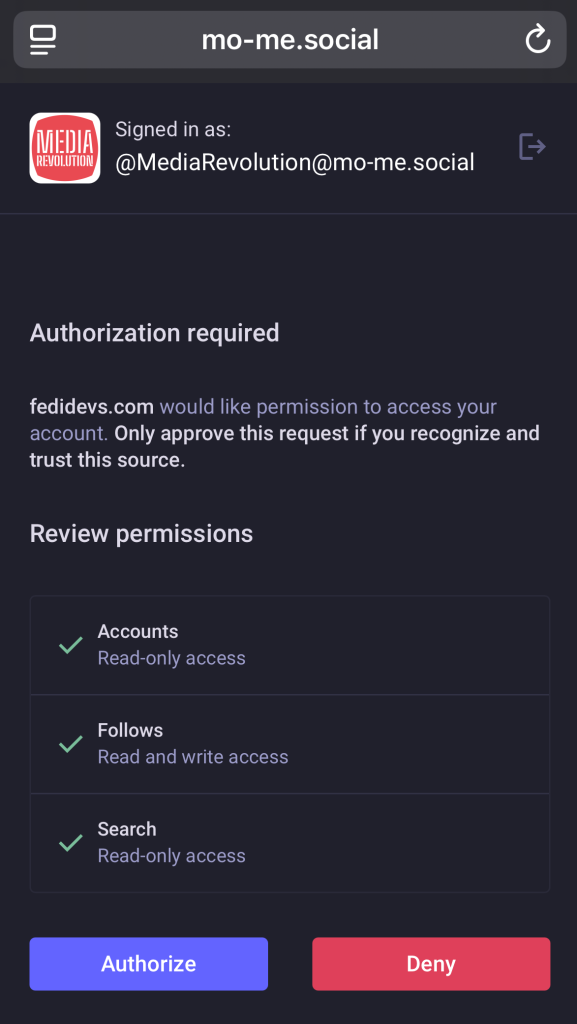
If you’re okay with that, click Authorize. After a few seconds, you’ll wind up back on the fedidevs site, and you should see your mo-me profile picture in the top right. Now, click on Follow (or Follow all accounts if you want to follow them all)